
Like Daedalus crafting wings for escape, you stand at the threshold of a new era in tattoo artistry.
The tools before you aren’t magic, they’re precision instruments, and choosing wrong costs time, money, and client trust.
This guide cuts through the noise: ten vetted systems, tested for stencil output, body-fit accuracy, and real shop workflow.
You’ll find exactly what you need, whether you’re booking walk-ins tonight or building a custom portfolio.
The right match is here, and your next step starts now.
Midjourney: Best AI Tattoo Design Tool Overall
Midjourney consistently earns its spot as the top AI tattoo design tool because it delivers reliable, tattoo-ready concepts across nearly every major style. When you use Midjourney, you’ll get strong results in blackwork, traditional, fine line, irezumi, and high-contrast compositions. Your prompt control matters: use “white background” tactics and `–no color` for cleaner, stencil-convertible linework.
For repeatable flash-sheet motifs, you can lock consistent visuals using `–sref`. This builds cohesive design sets efficiently. You should generate at about 2× resolution for final use, since upscaling introduces fuzz that reduces thermal paper transfer sharpness.
Midjourney also excels at blackwork and heavy dotwork, giving you reliable contrast for arm wraps and ornamental layouts. Among AI tattoo generators, it offers the most dependable tattoo design workflow for professional results.
Recommended Products

Warm Tips: The tattoo transfer paper need to work with transfer medias.You will need to purchase the stencil ointment separately. Apply the design made on the master paper. Please pay attention to press the back side of the pattern to the skin for at least 3 seconds

Safe and Healthy: Our tattoo transfer gel meets strict safety and non-toxic material standards, non-irritating to the skin and vegan-friendly. Maintains client comfort while achieving clear tattoo stencil transfers.

【Safe 】: Our tattoo transfer gel meets strict safety and non-toxic material standards, non-irritating to skin, vegan and skin-friendly, and allows clear, clean tattoo transfer.
Blackink AI: Fastest Generator for Same-Day Walk-Ins
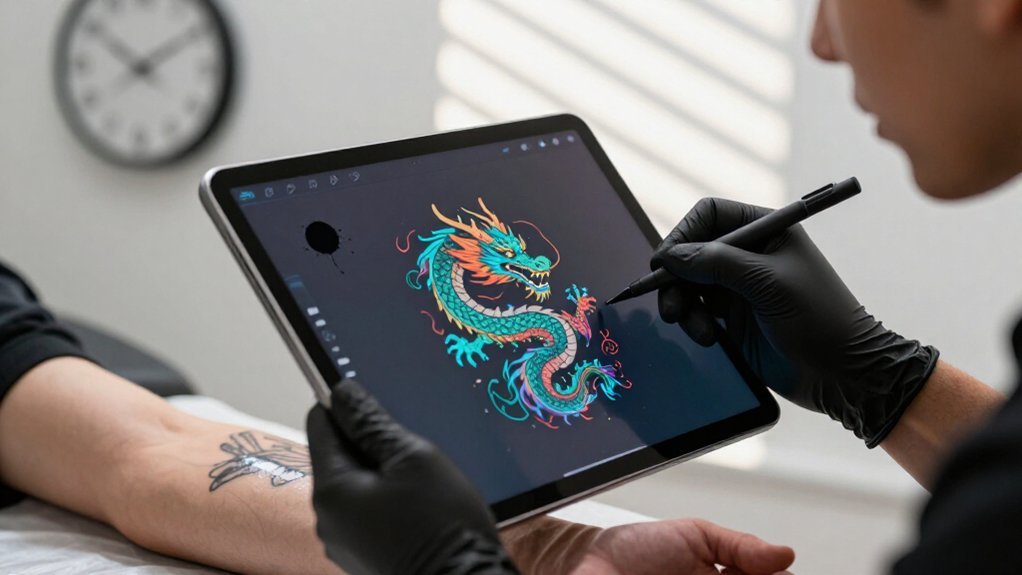
When you’re staring down a walk-in client with no appointment and no reference, Blackink AI gets you from blank canvas to stencil-ready design in under sixty seconds. You’ll pull from preset libraries spanning fine line, geometric, minimalist, traditional American, and Japanese styles, each formatted automatically on clean backgrounds that skip the prompt engineering headaches.
The trade-off is real: you sacrifice some ceiling for complex realism and large-scale color work, but you gain speed that keeps your chair full and your clients happy.
Recommended Products

Speed for Walk-Ins
The fastest tool for same-day walk-ins is Blackink AI, a tattoo-native generator built specifically for speed. You need concepts immediately when a client walks through your door, and this free AI tattoo platform delivers. Unlike general AI Tools, it understands tattoo workflow.
You’ll appreciate three core advantages:
- Preset styles lock your look instantly, covering fine line, geometric, minimalist, traditional American, and Japanese approaches
- Framed outputs appear on clean backgrounds, cutting prompt friction so you move faster to printable drafts
- Sub-minute generation produces multiple directions, matching typical walk-in decision windows
You sacrifice some ceiling, complex realism and large-scale color work exceed its reach, but for quick same-day blackwork, this AI-generated tattoo solution keeps your chair full and your clients satisfied without delay.
Preset Style Library
Because you’re racing against a walk-in’s attention span, Blackink AI’s preset style library cuts your setup time to nearly zero. You pick from fine line, geometric, minimalist, traditional American, or Japanese presets. The AI image generates immediately, framed for flash-sheet use.
How the Preset System Works
- Select your tattoo style before prompting.
- The generator locks style parameters, so outputs stay consistent.
- You get multiple direction options in under a minute.
Each preset outputs on a clean background, and the built-in background remover keeps your stencil prep simple. You won’t fight with general AI tools that need heavy tuning.
Where It Fits Your Shop
The trade-off is real: complex realism and large-scale color hit a lower ceiling here. But for repeatable flash concepts, you’re getting speed without style drift. Walk-ins see options fast, and you keep the chair moving.
Quick Stencil Output
For same-day walk-ins, you need a generator that moves as fast as your consult does. Blackink AI delivers exactly that, producing usable AI tattoo designs in under a minute so you don’t lose walk-in momentum.
Here’s why tattoo artists trust it for rapid stencil workflows:
- Preset styles lock your look instantly, from fine line to traditional American, before generation starts
- Clean backgrounds with framed compositions mean less cleanup time between concept and stencil transfer
- Tattoo-native output skips the generic image generator steps that slow down your process
You won’t get Midjourney-level realism for complex color pieces. What you get instead is speed and consistency: tattoo designs that translate directly to stencil-ready art without extra processing. For busy shops handling spontaneous clients, that’s the difference between booking the walk-in and watching them leave.
Canva Magic Media: Best Free Option for Flash Sheets
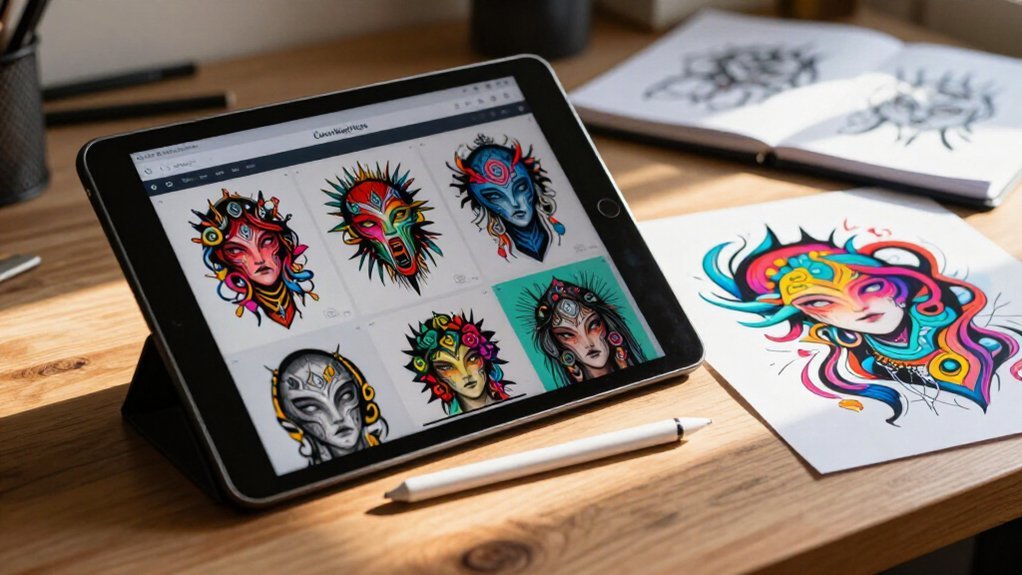
Generate quick flash-sheet concepts without leaving your design workspace by using Canva Magic Media, a text-to-image tool built directly into Canva’s editor. You type a prompt, generate tattoo ideas, and drag them straight into flash-sheet templates. The free tier gives you monthly generations, which is enough for testing concepts or building small sheets.
Why It Works for Flash Sheets
You don’t need to export images between apps. You generate, arrange, and export in one place. The surrounding editor includes grids, text tools, and brand kits for consistent presentation.
Pricing Tiers
- Free: Limited monthly generations, basic export options
- Pro ($120/year): More generations, Magic Eraser, background removal
Magic Media won’t out-render specialized tools, but it’s the best AI option when speed and workflow convenience matter most for client-ready flash sheets.
Recommended Products

100% brand new and high quality

🦋Note:Please shake the ink before use.

100% new brand and high quality. Favored among professional tattoo technicians.
DALL·E 3: Easiest High-Quality Tool to Access
You can access DALL·E 3 at no cost through Bing Image Creator, which is part of Microsoft Copilot, or through ChatGPT, making it the most accessible high-quality option available. The model excels when you write detailed, plain-English prompts describing style, subject, and composition, so you’ll get better results by specifying exactly what you want rather than using vague terms.
For lettering and traditional tattoo styles, state the exact text and desired aesthetic clearly, since precision directly determines how usable your output will be for later refinement into stencil-ready linework.
Recommended Products

JAPANESE Shogun Series Tattoo Machine Machine Weight: 8.8-oz Coil Size: 11-Wrap Use: Shader Machine Great for Any Tattoo Artiest
Free Access Points
What makes DALL·E 3 particularly valuable for tattoo work is its robust handling of extended, plain-English prompts. You can access this tool for free through two main paths, making high-quality AI art available without paid subscriptions.
Your Free Access Options
- Bing Image Creator (Microsoft Copilot): Navigate to the website, sign in with any Microsoft account, and start generating immediately with daily credits.
- ChatGPT: Use the free tier, which includes limited DALL·E 3 generations per day for quick concept exploration.
- Prompt Strategy: Include clear constraints like style (traditional, single-line) and specific elements (banner text) for usable results.
Treat these outputs as concept tools first. You’ll refine linework later in your tattoo workflow, but free access lets you iterate ideas rapidly before committing to stencil development.
Prompt Comprehension Strength
Because DALL·E 3 excels at parsing extended, plain-English descriptions, it’s become the most approachable entry point for tattoo artists exploring AI-assisted design.
1. Why It Works for Tattoo Ideation
You don’t need prompt engineering expertise. You write a thorough sentence describing your desired style, subject, and placement. DALL·E 3 grasps the relationships between these elements in one request.
2. Accessible Entry Points
You reach DALL·E 3 through Bing Image Creator or ChatGPT at no cost. This removes friction compared to specialized tools requiring subscriptions or technical setup.
3. Iteration Without Complexity
You refine designs by adding plain-English constraints: “blackwork outline,” “traditional American flash,” or specific compositional adjustments. The system understands these additions contextually, so you iterate quickly on motifs without rebuilding your prompt from scratch.
Lettering & Traditional Styles
DALL·E 3 handles lettering and traditional tattoo styles with minimal friction, making it the fastest path from idea to visual draft. You access it free through Bing Image Creator or inside ChatGPT, so you iterate quickly on banner curves, script angles, and word placement without subscription barriers.
To get stencil-ready results, structure your prompts with three clear elements:
- Specify lettering style, such as script versus block or curved banner versus straight wrap
- Add traditional framing cues, including thick black outlines and limited color palettes
- Generate multiple variations, then select the cleanest composition before refining in vector software
Since DALL·E 3 outputs raster images, not optimized line drawings, treat its results as ideation drafts. Export your chosen design, then finalize typography and spacing in a dedicated tattoo workflow tool or vector editor for precision.
Leonardo.ai: Best Control for Custom Composition
Leonardo.ai gives you precise control over tattoo composition when text prompts alone won’t cut it.
1. Image Guidance for Precision
You steer generation with pose, depth, and edge alignment inputs. These guide the design around curves and maintain consistent placement on body contours.
2. Targeted Fixes
Its inpainting tools let you repair broken linework or rework hands without regenerating everything. You fix specific weak spots directly.
3. Consistency Across Variations
Custom model selection and image guidance workflows keep recurring motifs uniform across multiple flash-sheet designs.
4. Budget-Friendly Iteration
The free tier offers daily token refreshes. Paid tiers increase tokens and queue access, so you plan control-heavy sessions without immediate cost pressure.
Recommended Products

⯁ 400+ Reusable Henna Stencils: Get 24 sheets of high-quality, self-adhesive hollow templates featuring over 400 unique patterns. These temporary tattoo stencils allow you to create stunning body art including mandalas, butterflies, and dragons. Perfect for practicing techniques without permanence

4-layer Design: The 4-layer design ensures a crisp, clean transfer with sharp lines and fine details. Each layer has a specific function — such as holding the stencil ink, releasing it evenly, and protecting the tattoo paper during storage — which minimizes smudging, prevents distortion, and makes application easier on different skin surfaces.

1. Safe and Healthy: Meet rigid safety and non-toxic materials standard, no irritation to the skin. Plus, It also has Clean Dry Protection Skin antiperspirant and deodorant functions.
Adobe Firefly: Best for Editing and Rework in Photoshop
Drop your tattoo draft into Photoshop, and Adobe Firefly lets you reshape, extend, or repair it without starting over. You keep your layered workflow intact, so nothing gets flattened or lost.
Firefly runs on Adobe Stock, licensed content, which keeps your commercial work safer than most standalone generators. At $22.99 monthly through Creative Cloud, you’re paying for integration, not isolation.
Why Firefly fits your rework flow:
- Generative Fill patches gaps, removes backgrounds, or fixes linework without touching your stencil layers
- Generative Expand extends flash sheets or canvas edges when your composition needs breathing room
- Non-destructive edits let you iterate fast, then revert if the AI drifts from your vision
You already sketched your concept. Firefly handles the cleanup, so you finish in one program.
InkHunter: Best AR Preview for Real Body Placement
Before you commit needle to skin, you’ll want to see exactly how your design sits on the body. InkHunter gives you that clarity through augmented reality.
See your tattoo on your skin before the needle ever touches you—InkHunter makes the invisible, visible.
How It Works
You point your phone camera at the target area, and the app overlays your tattoo in real time. Marker-style guidance helps you nail positioning, so you’ll know the exact size and placement before any ink touches you.
Key Features
- Upload your own artwork, or browse the in-app catalog
- Preview on iOS or Android, free with optional upgrades
- Speed up consultations by showing clients the on-skin result instantly
Why It Matters
You eliminate guesswork. Your artist sees your vision, you see the reality, and you both agree before the session starts.
Recommended Products
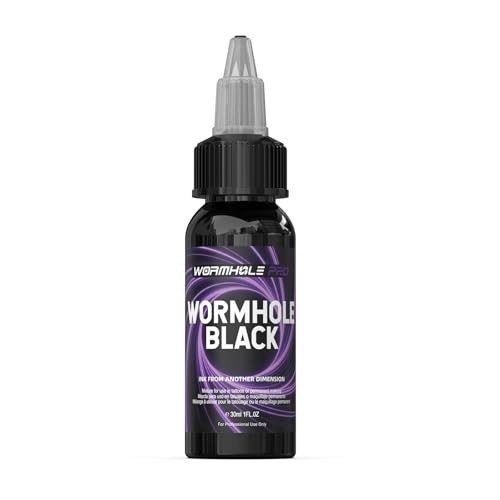
Vibrant, Long-lasting Color: WORMHOLE PRO black tattoo ink boasts pure color and exceptional longevity, delivering a deep, rich effect reminiscent of the night sky; Whether outlining contours or filling in shadows, our black tattoo ink delivers exceptional visual impact, ensuring that tattoo artworks retain their vibrant colors over time

100% new brand and high quality. Favored among professional tattoo technicians.

High Pigment Load · Strong Coverage—RGB Professional Tattoo Ink features a high pigment load formula with finely dispersed pigment particles. Whether for color packing or large-area fills, the ink quickly builds rich and solid color layers. This strong coverage helps reduce repeated passes on the skin and improves overall tattooing efficiency.
Stable Diffusion: Most Powerful Open-Source Pipeline
Stable Diffusion gives you total control over your tattoo design pipeline, letting you run everything locally for no per-image cost or tap cloud services when needed. You can shape outputs precisely through ControlNet, which uses depth and edge maps to match poses and body contours like arm wraps, while LoRA training lets you teach the model your shop’s signature style for repeatable, branded results.
The tradeoff is real: you’ll need roughly 8GB of VRAM and patience for setup, but if you want the most powerful, least beginner-friendly option, this is where you invest.
Total Control Advantage
Access Stable Diffusion, and you gain the deepest level of control available in any tattoo design tool. You run everything locally with zero per-image cost, and you access professional-grade features that commercial apps lock behind paywalls.
You shape your workflow through three core advantages:
- ControlNet conditioning lets you guide outputs using depth maps and edge detection, so you wrap designs accurately around body references.
- Inpainting repair fixes broken linework, hands, or bad fill areas without regenerating entire pieces, saving hours on tattoo-ready concepts.
- Local execution eliminates usage fees and protects client privacy, though you’ll need about 8GB VRAM minimum for SDXL-class models.
The tradeoff is real: you face a learning curve and hardware demands. But once configured, you iterate faster than any cloud-based competitor.
LoRA Style Training
When you’ve mastered the base Stable Diffusion workflow, LoRA training becomes your next logical step for shop-distinctive output. LoRA, or Low-Rank Adaptation, lets you teach a model your specific “shop look” without retraining the entire base model.
1. What You’ll Train
- Consistent line weight, blackwork density, or dotwork spacing
- The specific aesthetic of your portfolio
2. How You’ll Use It
Run your LoRA in ComfyUI or Automatic1111 to generate style-consistent flash concepts, then swap it on demand during inference.
3. Practical Integration
Layer ControlNet conditioning for wrapping accuracy around arm references. Add inpainting to fix broken lines or hands while preserving your learned style.
4. The Tradeoff
You’ll need 8GB VRAM minimum for SDXL workflows, plus setup time. Once trained, per-image generation costs practically $0 locally.
ControlNet Conditioning Power
Beyond prompt engineering, ControlNet gives you structural command over where every line lands on skin. You guide generation using edge maps and depth maps, preserving pose, contours, and wraparound fit on arm references. This conditioning makes stencil-like linework stick to real-body geometry, cutting drift that plagues prompt-only tools.
Here’s how you use this power:
- Map the body: Feed edge or depth references so the AI respects your client’s actual limb shape
- Refine with inpainting: Repair broken lines in hands or forearms while locking the rest to your conditioning
- Stack with LoRA: Combine your trained shop style with ControlNet for consistent output that follows structure
The tradeoff is real: you’ll need 8GB VRAM minimum, often more for SDXL models, plus setup time in ComfyUI or Automatic1111.
What Stencil-Ready Actually Means (Our Testing Criteria)
Because “stencil-ready” gets thrown around loosely in AI tattoo marketing, you’ll want to know exactly what separates usable output from digital eye candy.
1. Crisp, High-Contrast Linework
You’ll need logically separated lines without painterly gradients. Thermal stencil paper demands clean edges, not muddy fills that fuzz during transfer.
2. Clear Negative Space
We prioritize compositions with disciplined line weights. Tight fills tend to degrade, so you’ll want breathable designs that survive the transfer process.
3. Resolution That Holds
Generate at roughly 2× your intended final size. This prevents edge softening when you convert to stencil, keeping details sharp where it counts.
4. Style-Specific Fidelity
Blackwork, dotwork, and irezumi must maintain consistent line density and dot spacing for one-pass transfer. Inconsistent spacing ruins stencil accuracy.
5. No Watermarks, No Soft Detail
We exclude tools producing watermarked or low-resolution output. Artifacts and soft lines directly reduce transfer precision, wasting your thermal paper and time.
Recommended Products

Precised and longer lasting stencil artwork, Wont rub off while tattooing or using Green Soap. Vegan Friendly solution works well for all skin type

Precise Transfer: Using our tattoo stencil gel transfers both the pattern and lines to the skin clear and sharp, preserving every detail of your artwork. No smudging or fading for a clean, flawless transfer.

🍃SAFE AND NON-IRRITATION: Our professional tattoo transfer gel meets strict safety and non-toxic material standards, non-irritating to skin, vegan and skin-friendly, and while can avoid cross-infection. Allows clear, clean tattoo transfer.
Pick the Right AI Tattoo Design Tool for Your Budget
With dozens of AI tools competing for your attention, you’ll need to match your spending to your actual workflow demands rather than chasing features you’ll never use.
- Start free or cheap. Canva’s Magic Media gives you flash-sheet tools and mockups at no cost, with Pro at ~$120/year mainly raising limits.
- Pay for quality when it counts. Midjourney runs $10–$60/month for stencil-ready realism, while Blackink AI offers tattoo-native presets for walk-in speed, though complex color work may stall.
- Invest in control or integration. Stable Diffusion demands ~8GB VRAM and setup time but avoids per-image fees. Adobe Firefly (~$22.99/month inside Photoshop) suits artists already layering linework non-destructively.