
You want speed, you want precision, you want reliability. The 2026 tattoo stencil printer market delivers all three through portable thermal technology that eliminates ink cartridges, slashes prep time, and fits in your travel bag.
Your next step is choosing between wireless Bluetooth models like the Itari and Phomemo lines, compact mini units for small designs, or feature-rich options with built-in editing tools.
The right printer depends on your workflow, your connectivity needs, and whether you’re printing full back pieces or tiny 3-inch stencils.
Itari Tattoo Stencil Printer for Artist & Beginner, Wireless Portable

Easy to Use —— Itari tattoo stencil printer comes with 10 pcs transfer paper. It utilizes wireless Bluetooth connectivity & thermal printing technology to effortlessly...
The Itari Tattoo Stencil Printer suits you if you value speed and simplicity in your workflow. You connect your phone via Bluetooth in about three seconds, and you’ll see your design transfer in roughly ten seconds after you press print. The full process completes in about sixty seconds.
Setup and Operation
- Enable Bluetooth on your phone, then pair with the printer.
- Open the top cover and center your tattoo paper before printing.
- Use Itari tattoo paper only; thermal paper will not work.
Print Quality
The printer uses thermal technology with patented wrinkle-resistant features. You get clearer results because the paper stays flat during printing. You can disable anti-wrinkle lines in the App if you prefer.
App Features
You receive free editing tools, tattoo previews, and image stitching. Beginners generate sketches in ten seconds. Professionals convert complex designs to line art. Advanced AI features require a subscription, but you get a three-day free trial.
Use Cases
You carry this portable printer to trade shows, pop-up events, or mobile appointments. The package includes ten transfer papers.
Best For: Tattoo artists and beginners who need a fast, portable, wireless stencil printer for quick design transfers at events or in daily workflows.
Pros:
- Extremely fast workflow with 3-second Bluetooth pairing and 10-second design transfer
- Patented wrinkle-resistant technology ensures clear, flat prints with optional line disabling
- Lightweight and travel-friendly for mobile services, trade shows, and pop-up events
Cons:
- Only compatible with Itari brand tattoo paper, limiting supply options
- Monochrome output restricts use to line art and simple designs only
- Advanced AI features locked behind a subscription after a brief 3-day trial
Recommended Products

【Must-Have Tattoo Supplies】2-in-1 Tattoo & documents Printer, Perfect for both beginner and professional tattoo artists—one device solves two core needs: High-quality tattoo stencil printing (sharp lines for precise inking); Clear document printing for the tattoo industry (design drafts, appointment lists, aftercare forms) and daily use (homework, business contracts). Ideal for studio work, on-site services, and everyday printing.Note: Paper quality directly affects print results
Easy to Use —— Itari tattoo stencil printer comes with 10 pcs transfer paper. It utilizes wireless Bluetooth connectivity & thermal printing technology to effortlessly complete tattoo prints in just 60s. Say goodbye to traditional wired thermal transfer printers, now simply turn on your phone's Bluetooth to connect to the tattoo printer in just 3s. Once you've finalized your tattoo design, simply press the print button to get the tattoo effect you want in just 10s. (Note:The A886 tattoo printer is compatible only with Itari tattoo paper to ensure optimal print quality. If you need a large quantity of tattoo designs, we recommend choosing the 100-Pcs tattoo printer kit)

Ultra-Portable & Wireless Design - Weighing just 1.08lbs (70% lighter than traditional machines), the M8 Bluetooth thermal tattoo printer revolutionizes mobility. Its compact wireless design fits effortlessly in briefcases, backpacks, or car workspaces - perfect for artists on the move. No cords, no bulk, just instant stencil creation anywhere
Phomemo M08F Tattoo Stencil Printer, Bluetooth, Wireless, Thermal, Portable

Phomemo M08F Tattoo Printer Kit- Specifically built for tattoo applications. Phomemo Bluetooth tattoo stencil printer features a lightweight, wireless design, weighing in at...
Phomemo’s M08F centers portability without sacrificing professional results. You get a 2-pound wireless unit that’s 63% smaller than traditional machines, yet it still delivers thermal precision for tattoo stencils.
1) Setup & Connectivity
You connect via Bluetooth to smartphones, tablets, laptops, or desktops. The printer supports Android, iOS, Windows, macOS, and ChromeOS.
Pairing steps:
- Turn on your phone’s Bluetooth
- Open the Phomemo App
- Tap the printer icon (upper left)
- Select and connect your device
2) App Capabilities
You receive basic editing, stencil generation, large-image cutting, preview mode, anti-wrinkle settings, and a design library. Optional premium upgrades add AI assistance and expanded artwork.
3) Printing Performance
Thermal technology produces clear, precise lines without ink. You avoid clogging and cleaning issues entirely.
4) Power & Supplies
The 1200mAh battery yields 220 pages per charge. Your purchase includes 10 sheets of Phomemo transfer paper. Note: you must use Phomemo paper exclusively; other brands will not function.
Best For: Tattoo artists and apprentices who need a lightweight, wireless stencil printer for mobile work or studio use without sacrificing professional-quality thermal transfers.
Pros:
- Truly portable at 2 pounds and 63% smaller than traditional machines, enabling easy transport between locations
- Inkless thermal technology eliminates maintenance issues like clogging and cleaning while delivering precise stencil lines
- Broad device compatibility across Android, iOS, Windows, macOS, and ChromeOS with simple Bluetooth pairing
Cons:
- Proprietary paper lock-in requires exclusive use of Phomemo transfer paper, limiting supply flexibility
- 220-page battery life per charge may require mid-day recharging for high-volume artists
- Premium AI features and expanded design library require additional payment beyond the base purchase price
Recommended Products
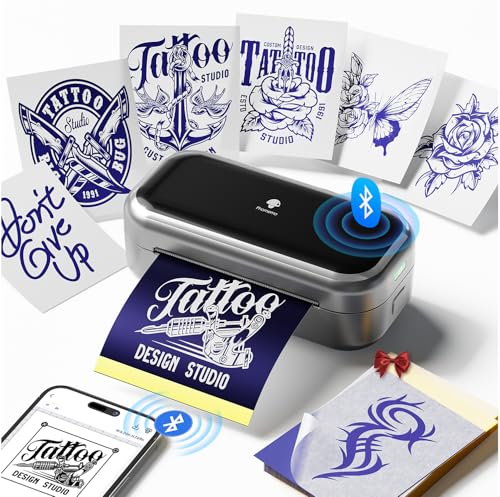
Tattoo Trends Defined by TP31——Phomemo TP31 Mini Tattoo Printer is tailored for tattoo beginners, professionals, and temporary tattoo enthusiasts. Weighing in at just 1 pound with a 1500mAh rechargeable battery, it prints up to 330 sheets per charge, offering unmatched portability and freedom.(Note:Phomemo TP31 tattoo printer is compatible only with Phomemo tattoo paper to ensure optimal print quality. If you need a large quantity of tattoo designs, we recommend choosing the 120-Pcs tattoo printer kit)

NULLTONEX Portable Tattoo Printer, Your On-the-Go Tattoo Studio: Take your tattoo designs anywhere. Built specifically for tattoo artists and enthusiasts, this compact and lightweight tattoo stencil printer (weighs only 1.17 lbs, 11.61" x 2.17" x 1.59") fits perfectly in your tattoo kit. Whether you're in the studio, at a convention, or meeting a client on location, turn your ideas into ready-to-use stencils anytime, anywhere

2026 Upgraded Wrinkle-resistant Mode and High-Definition Printing: Our tattoo supplies equips a patented wrinkle-resistant mode (adds wrinkle-resistant lines to the edges of the paper) that keeps tattoo paper perfectly flat during printing, minimizes wrinkles and creases on the printed materials, ensuring smooth and high-quality prints every time. The upgraded print head delivers faster and sharper results—work more efficiently and achieve more precise effects
TATTMUSE 2026 New Version Tattoo Stencil Printer, Bluetooth, Portable
2026 Upgraded Wrinkle-resistant Mode and High-Definition Printing: Our tattoo supplies equips a patented wrinkle-resistant mode (adds wrinkle-resistant lines to the edges of...
You’re looking for a portable, wireless solution that keeps up with your mobile workflow, and the TATTMUSE 2026 delivers exactly that.
1. Core Printing Technology
The A887-BK uses ink-free thermal printing, which means no clogged cartridges or messy refills. The 2026 upgrade adds wrinkle-resistant lines to paper edges, keeping sheets flat and reducing creases.
You get sharper, faster output with the improved print head.
2. Connectivity Options
- Pair your phone or tablet via Bluetooth: print stencils in about two minutes
- Connect laptops through USB Type-C
- Works with Android, iOS, Windows 7+, and macOS 10+
3. Smart App Features
The companion app includes 800+ free designs and editing tools. You can split large designs into 2-9 parts, convert photos to outlines, and preview tattoos before printing.
The AI design feature generates custom stencils in seconds: regular users receive 6 free designs, while Pro+ provides unlimited access and exclusive styles.
4. Important Compatibility Note
Use only TATTMUSE tattoo paper for the best results. The package includes 10 transfer sheets, ready for immediate use.
Best For: Mobile tattoo artists and studios needing a portable, wireless stencil printer with AI design tools and wrinkle-resistant thermal output for on-the-go workflows.
Pros:
- Ink-free thermal printing eliminates cartridge maintenance and mess while delivering fast, sharp stencils
- Versatile connectivity via Bluetooth for mobile devices and USB Type-C for laptops across all major platforms
- Smart app with 800+ free designs, photo-to-outline conversion, design splitting, and AI-powered custom stencil generation
Cons:
- Proprietary paper lock-in—optimal print quality requires exclusive TATTMUSE tattoo paper only
- AI design feature heavily gated behind Pro+ subscription for unlimited access and exclusive styles
- Limited starter supply with only 10 transfer sheets included, requiring additional purchase for regular use
Recommended Products
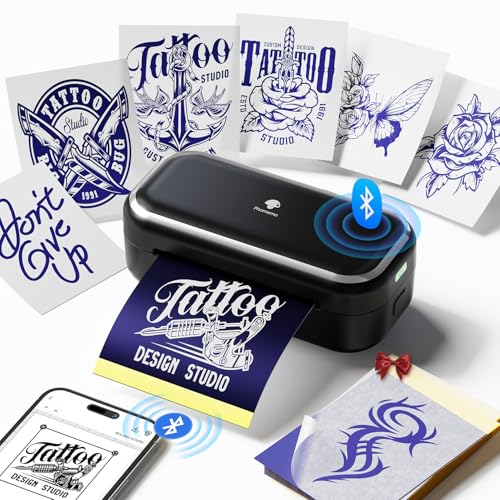
Tattoo Trends Defined by TP31——Phomemo TP31 Mini Tattoo Printer is tailored for tattoo beginners, professionals, and temporary tattoo enthusiasts. Weighing in at just 1 pound with a 2200mAh rechargeable battery, it prints up to 330 sheets per charge, offering unmatched portability and freedom.(Note:Phomemo TP31 tattoo printer is compatible only with Phomemo tattoo paper to ensure optimal print quality. If you need a large quantity of tattoo designs, we recommend choosing the 120-Pcs tattoo printer kit)
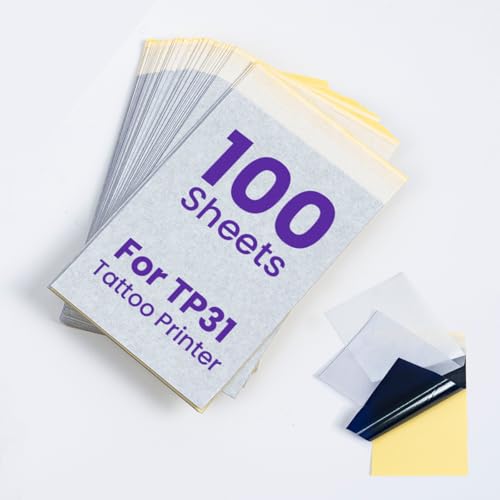
Phomemo TP31 Tattoo Transfer Paper: 3.15'' x 5.24'' Tattoo Transfer Paper, 100 Sheets Per Box. Only compatible with Phomemo TP31 tattoo stencil printer

Phomemo TP31 Tattoo Kit: Phomemo TP31 Bluetooth tattoo stencil printer built-in 2200mAh high-capacity rechargeable battery, prints up to 280 pages per charge. Weighing only 0.99 lb and compact at 5.7x2.75x2.12 inches, it's 40% lighter than other portable tattoo printers, more space-saving and portable, ideal for tattoo artists and beginners. In addition, TP31 tattoo printer kit comes with 30pcs tattoo transfer papers, you can start your tattoo designs immediately
Phomemo TP31 Mini Tattoo Stencil Printer for 3-Inch Tattoos
Tattoo Trends Defined by TP31——Phomemo TP31 Mini Tattoo Printer is tailored for tattoo beginners, professionals, and temporary tattoo enthusiasts. Weighing in at just 1...
Compact portability defines this 1-pound stencil printer, making it ideal for mobile artists and beginners alike. You slip the Phomemo TP31 into your kit, and you’re ready to work anywhere.
1. Core Specifications
- Weight: 1 pound
- Battery: 2200mAh rechargeable
- Output: 330 sheets per charge
- Size: 5.71 x 2.76 x 2.13 inches
2. Printing Performance
You get thermal printing technology that delivers crisp, accurate lines without jamming. The TP31 handles 3.15 x 5.24-inch paper, and you can trim A4 or Letter stock to fit. It prints only on Phomemo tattoo paper for best results.
3. Digital Workflow
You connect via Bluetooth to Android or iOS devices. The Phomemo app offers basic editing, stencil creation, and a design library. You can upgrade to Pro for AI tools and pattern extraction.
4. What’s Included
Your box contains 30 tattoo transfer papers. You create stencils in minutes, saving time for both professionals and newcomers.
Best For: Mobile tattoo artists, beginners learning stencil creation, and temporary tattoo enthusiasts who need a portable, easy-to-use thermal printer for small-format designs.
Pros:
- Highly portable at just 1 pound with 330-sheet battery life for on-the-go work
- Simple Bluetooth workflow with app-based editing and design library access
- Reliable thermal printing delivers crisp, jam-free stencils without complex setup
Cons:
- Limited to 3.15 x 5.24-inch paper size, requiring trimming for larger designs
- Pro subscription required for AI tools and advanced pattern extraction features
- Restricted to Phomemo-branded tattoo paper for optimal print quality
Recommended Products

Precision Transfer Performance - It’s professional-grade tattoo stencil paper delivers vibrant, high-definition transfers even for intricate designs. The carbon layer ensures sharp outlines without smudging or fading, ensuring crisp lines that stay true to your original artwork.
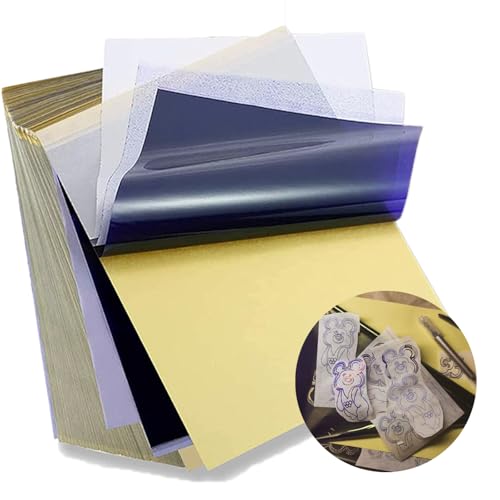
Standard size: Tattoo Transfer Paper is standard A4 paper size, each measures 8.27 in X 11.69 in. There are 4 levels in total. The thickness of the paper is very light and smooth to the touch.

Spirit Tattoo Classic Thermal Transfer Paper, 8.5” X11” (100 Sheets): Established since 1946, the original and trusted choice of tattoo artists globally, offering reliability and consistency in tattoo stencil creation.
Itari Tattoo Stencil Printer Kit with 100 Pcs Transfer Paper, Bluetooth
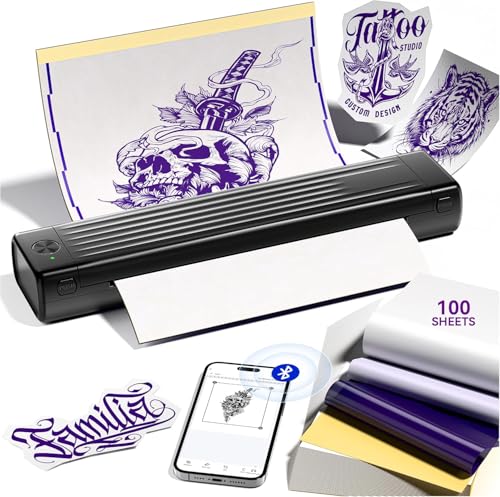
Easy to Use —— Itari A886 tattoo stencil printer comes with 100 pcs transfer paper. It utilizes wireless Bluetooth connectivity & thermal printing technology to...
The Itari A886 suits artists who value speed and portability. You connect your phone via Bluetooth in about three seconds, then print complete stencils in roughly sixty seconds total. The thermal technology delivers your design in ten seconds after you press print.
What’s Included
- Itari A886 printer (black, compact)
- 100 pieces transfer paper
Key Features
The patented wrinkle-resistant technology keeps paper flat during printing. You’ll see anti-wrinkle lines on both sides of output, though you can disable this in the app.
The upgraded print head produces clearer results when you center paper properly under the top cover.
App Capabilities
You edit designs free, preview tattoos, stitch large images, and access a gallery. Beginners generate sketches in ten seconds; professionals convert complex art to line art.
AI features require subscription, with a three-day trial included.
Important Limits
This printer supports tattoo paper only, not thermal paper. Use Itari paper for best durability.
Output is monochrome, so you’ll want clean line art rather than shaded designs.
Best For: Tattoo artists and beginners who need a fast, portable stencil printing solution for mobile work, practice, or temporary tattoo creation.
Pros:
- Bluetooth connectivity enables quick 3-second phone pairing and 60-second total workflow for on-the-go printing
- Patented wrinkle-resistant technology with upgraded print head delivers clearer, flatter output when paper is centered properly
- Free app includes editing, tattoo previews, image stitching, and gallery access with 10-second sketch generation for beginners
Cons:
- Output is monochrome only, limiting designs to clean line art rather than shaded or complex imagery
- AI features require paid subscription beyond the included 3-day free trial
- Restricted to proprietary Itari tattoo paper; thermal paper is unsupported and paper must be precisely centered for best results
Recommended Products

Save Money & Cut Paper Waste Efficiently:Measuring 3.2 x 2.1 inches, this tattoo transfer paper is merely 1/8 the size of regular A4 transfer paper. You no longer need to use whole A4 sheets just for tiny tattoo patterns. It greatly boosts paper usage rate and effectively lowers your daily supply spending, helping you slash long-term printing costs easily.

Tattoo Trends Defined by TP31——Phomemo TP31 Mini Tattoo Printer is tailored for tattoo beginners, professionals, and temporary tattoo enthusiasts. Weighing in at just 1 pound with a 2200mAh rechargeable battery, it prints up to 330 sheets per charge, offering unmatched portability and freedom.(Note:Phomemo TP31 tattoo printer is compatible only with Phomemo tattoo paper to ensure optimal print quality. If you need a large quantity of tattoo designs, we recommend choosing the 120-Pcs tattoo printer kit)

【Mobility Anytime, Anywhere】: Designed specifically for American tattoo artists, our wireless thermal tattoo machine offers ultimate mobility. Its lightweight design enables you to create tattoo stencils anywhere, our tattoo machine kit comes with 10 tattoo papers, whether you're traveling, at home, at an exhibition, on the street, or at a party, you can do it
Tattoo Stencil Printer Machine with Transfer Paper
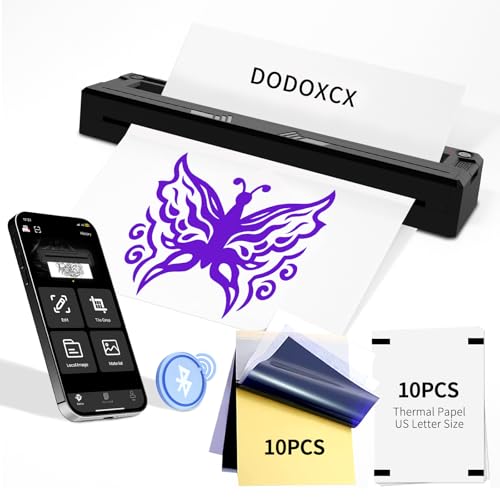
[Compact Tattoo Printer] The Tattoo Kit is thoughtfully designed for all your tattooing needs. This thermal tattoo stencil printer stands out for its featherlight and...
Artists need portability without sacrificing precision, and the DODOXCX M8 delivers exactly that balance.
You get a thermal tattoo stencil printer weighing just one pound. The cordless black unit fits in your kit without bulk. Bluetooth connects your smartphone, tablet, or PC running Android, iOS, Windows, or macOS. You print documents and pictures too, not just stencils.
Media and Output Quality
You load thermal foldable paper or thermal roll paper in US Letter or A4 sizes. Advanced thermal technology produces crisp, precise lines without ink. You avoid clogs and skip tedious cleaning. The output works for temporary or permanent tattoo stencils.
Power and Workflow
The TATTOOPRT app streamlines your process with ready-made templates and personal design uploads. You tap to print.
Two 1500mAh batteries deliver up to 180 pages per charge, covering multiple sessions without interruption.
Best For: Tattoo artists and beginners who need a portable, cordless thermal stencil printer that works across multiple devices and operating systems for both professional tattoo sessions and general document printing.
Pros:
- Ultra-lightweight at just 1 pound with cordless design for maximum portability
- Ink-free thermal technology eliminates clogs and cleaning maintenance while producing crisp, precise lines
- Cross-platform Bluetooth compatibility with Android, iOS, Windows, and macOS devices
Cons:
- Limited to thermal paper types (foldable or roll) in US Letter and A4 sizes only
- Battery life of 180 pages applies only to light-colored images or text, not darker or more complex designs
- Requires proprietary TATTOOPRT app for streamlined workflow, potentially limiting third-party software options
Recommended Products

【Professional-Grade Portable Design for On-the-Go Artists】Engineered for mobility, POSEIDON tattoo stencil printer features an ultra-lightweight design (only 1 lb, same as a standard mineral water bottle) and compact size—just 60% the size of traditional tattoo transfer machines, easily fitting into any tattoo kit or bag. Built for busy professionals, it’s battery-powered and wireless, freeing you from messy charging cables, making it perfect for conventions, mobile setups, or bustling tattoo studios where mobility matters most.

2-IN-1 TATTOO STENCIL PRINTER: One tattoo printer machine serves as both tattoo transfer printer and document printer, printing sharp tattoo stencils and studio paperwork with a single device, cutting equipment costs and freeing up counter space for tattoo studios and independent artists
Phomemo M08F Tattoo Printer Kit- Specifically built for tattoo applications. Phomemo Bluetooth tattoo stencil printer features a lightweight, wireless design, weighing in at only 2 pounds -only 63% the size of traditional tattoo transfer machine. Its built-in rechargeable and large battery ensures you are free from constant charging cables, providing unparalleled convenience and ease-of-use for tattoo artists on-the-go
Vieviego Mini Tattoo Stencil Printer for Smartphone & Tablet (Black)

Save Paper & Cut Down Consumable Costs. Featured with a compact 2.2 x 3.1" printing area, this Vieviego Mini Tattoo Printer only uses 1/8 of a standard A4 tattoo transfer...
Mobile artists who prioritize freedom of movement above all else will find the Vieviego Mini Tattoo Stencil Printer fits their workflow precisely. At 82 × 82 × 40 mm and 133 g, you’ll slip this device into your pocket or backpack without noticing the weight.
Portability and Power
You operate cordlessly thanks to the built-in 1200mAh rechargeable battery. This enables outdoor sessions and mobile services without hunting for outlets.
Printing Specifications
Your prints measure 2.2″ × 3.1″, using just one-eighth of standard A4 transfer paper. One built-in roll equals 90 small transfer papers. You may also cut 2.2″ × 3.1″ sections from A4 sheets to minimize waste.
Connectivity and Workflow
You print directly from smartphones and tablets. The transfer paper tears off immediately for instant application. Note: you must use Vieviego’s specially designed transfer paper roll, available through their store.
Best For: Mobile tattoo artists who need a lightweight, cordless solution for printing stencils on location without sacrificing workflow efficiency.
Pros:
- Extremely compact and lightweight (82 × 82 × 40 mm, 133 g) fits easily in pockets or backpacks for true portability
- Built-in 1200mAh rechargeable battery enables completely cordless operation for outdoor and mobile sessions
- Efficient paper usage—uses only 1/8 of standard A4 transfer paper with built-in roll equivalent to 90 small transfer papers
Cons:
- Limited printing size (2.2″ × 3.1″) may not accommodate larger or more complex stencil designs
- Requires proprietary Vieviego transfer paper roll, limiting supply options
- No mention of compatibility with laptops or desktop computers, restricting workflow to mobile devices only
Recommended Products

2026 Upgraded Wrinkle-resistant Mode and High-Definition Printing – Patented wrinkle-resistant mode adds stabilizing lines to paper edges, keeping tattoo paper perfectly flat during printing – no wrinkles, no creases, just smooth, high-quality prints. The upgraded print head delivers faster, sharper results for precise effects and greater efficiency

𝗦𝗽𝗲𝗰𝗶𝗳𝗶𝗰𝗮𝘁𝗶𝗼𝗻𝘀--PeriPage P90 tattoo stencil printer built-in 2000mAh rechargeable high-performance battery, prints 200 pages per charge, only 1lb weight, 10.4"x2.2"x1.2" mini size, inkless thermal tech, ideal for pros,beginners and hobbyists.

Effortless for Beginners: Start creating like a pro with the easiest tattoo stencil printer for beginners. Just turn on Bluetooth, connect to your phone within 3s, select your tattoo design, then press the print button. Your design becomes a ready-to-use stencil in 10s——no wires, no complex setup. This intuitive tattoo printer gets you from idea to practice faster than ever
Factors to Consider When Choosing a Tattoo Stencil Printer
You’ll evaluate several practical elements when selecting your stencil printer, including Connectivity Options, Print Quality, Portability Factors, App Features, and Battery Life. Each factor directly impacts your workflow efficiency, so you’ll weigh them according to your specific studio setup and mobile needs.
We’ll examine these points in order of typical priority for professional tattoo artists.
Recommended Products
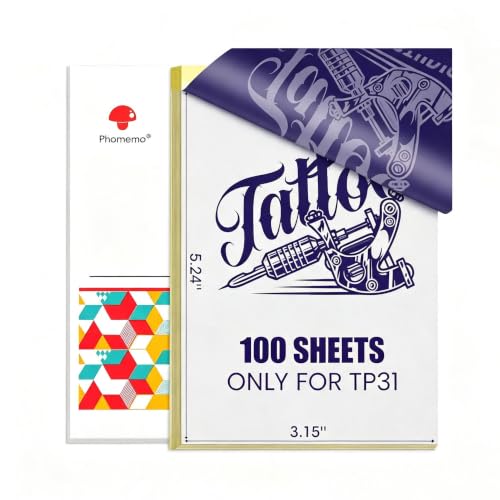
Phomemo TP31 Transfer Paper only compatible with TP31 Tattoo Printer

√ What You Get: 3.15" x 5.24" 100 sheets tattoo stencil paper for TP31 mini tattoo stencil printer

Saving Paper & Cut Down Consumable Costs: Featured with a compact 2.2 x 3.1 inch printing area, which equals 1/8 of a standard A4 tattoo transfer paper. Avoid unnecessary paper waste when printing small tattoo patterns, greatly improve paper utilization and effectively reduce your daily operating expenses
Connectivity Options
When you’re choosing a tattoo stencil printer, the way it communicates with your devices determines how quickly you can move from idea to skin.
1. Wireless Setup
Check whether the printer uses Bluetooth for wireless configuration. Confirm the connection workflow: open the companion app, select the printer icon, and pair. This ensures quick start times when you’re ready to print.
2. Device and Platform Support
Verify which operating systems the printer supports. Most models work with Android, iOS, Windows, macOS, or ChromeOS, but connectivity can be limited to certain platforms. Check this before you purchase.
3. Multi-Device Compatibility
Look for compatibility across phones, tablets, and computers. Some printers connect directly to smartphones and tablets, while others also support laptop and PC connections.
4. Portability
Consider whether you need mobile operation. Portable models let you print on-site without relying on a stationary wired setup.
Print Quality
Once you’ve connected your device, the printer’s output determines whether your stencil translates cleanly to skin. You need to check four key factors before you buy.
1. Core Hardware
- Verify the printer uses ink-free thermal printing with an upgraded print head
- Confirm it has a wrinkle-resistant mechanism for sharper stencil lines
2. Anti-Wrinkle Features
- Look for “anti-wrinkle” modes that add stabilizing lines to your output
- Note how these affect your final transfer quality
3. Stencil Style Support
- Most thermal units are monochrome, so they’re best for line art and high-contrast patterns
- Match the printer to your typical design work
4. Paper Compatibility
- Confirm support for your preferred transfer paper type
- Some units require dedicated paper to avoid clarity issues
5. Software Controls
- Prefer systems with preview and photo-to-outline tools in the app
- Evaluate sharpness before you commit any print
Portability Factors
Because your work often takes you outside the studio, portability determines whether your printer stays on the shelf or travels with you. You need to evaluate four key factors before choosing your mobile setup.
1. Size and Weight
Mini models weigh ~133 g and measure ~82×82×40 mm, while handheld styles hit 1–2 lb. You will feel this difference during all-day travel. Smaller units slip into existing kits, but larger ones demand dedicated space.
2. Power Options
You should seek true cordless operation. Built-in rechargeable batteries, such as 1200 mAh for compact units or ~2200 mAh for extended sessions, eliminate tangles.
Built-in power plus Bluetooth lets you work pop-up events without adapters.
3. Output Dimensions
Compact printers often max at ~2.2″ width (roughly 2.2×3.1 in). You will spend less time trimming stencils on-site.
4. Consumable Kits
Check whether your printer ships with 10 or 100 transfer sheets. You can pack lighter with higher sheet counts per roll equivalent.
App Features
Your phone is the real command center, so the app’s capabilities matter as much as the printer itself.
1. Core Editing Tools
Basic editing tools plus stencil preview, so you confirm line art before printing.
2. Design Resources
Tattoo design/stencil library.
Large-image stitching, or splitting, so bigger artwork becomes print-ready sections.
3. Conversion Features
Photo-to-outline tools, which speed up turning complex images into clean stencil lines.
4. AI Options
AI-generated stencils, if you want them.
Check whether these require a subscription, and whether a free trial exists.
5. Print Controls
Anti-wrinkle/anti-warp controls, or options to enable or disable them, so transfer clarity improves during printing.
Battery Life
App features matter, but they mean little when you’re mid-session and the battery dies. You need reliable power to keep your workflow smooth.
1. Check the specs
- Look for stated capacity (mAh) and print yield per charge
- Common ratings: ~1200mAh yields ~220 pages, ~1500mAh yields ~180 pages, ~2200mAh yields ~330 sheets
2. Match capacity to your needs
- Prioritize “cordless” models for on-site work
- Choose higher output-per-charge ratings if you print frequently
- This reduces recharging downtime between clients
3. Read the fine print
- “Pages” estimates often use light-colored images or text
- Heavy graphics drain batteries faster than advertised
4. Protect your battery
- Pick Bluetooth-enabled printers for quick mobile connections
- This prevents drain from connection delays
Paper Compatibility
Three factors can ruin a tattoo stencil: a smudged line, a wrinkled sheet, or a printer that refuses your paper.
1. Check Brand Lock-In
Some printers accept only their own brand transfer paper. They may reject generic thermal paper entirely. Verify this before you buy.
2. Examine Media Specifications
Look for supported sizes: A4, US Letter, or thermal roll formats. Confirm whether the printer handles foldable thermal sheets.
Check if wrinkle-resistant features, like anti-wrinkle lines, can be disabled in the app. Some papers require these lines; others don’t.
3. Weigh Flexibility Against Consistency
Dedicated compatibility delivers predictable results. Flexible support cuts costs and reduces supply chain risk. Choose based on your priorities: reliability or freedom.